Understanding the “Free Copilot is Going Away” Confusion – What It Really Means for Nepalese Organizations
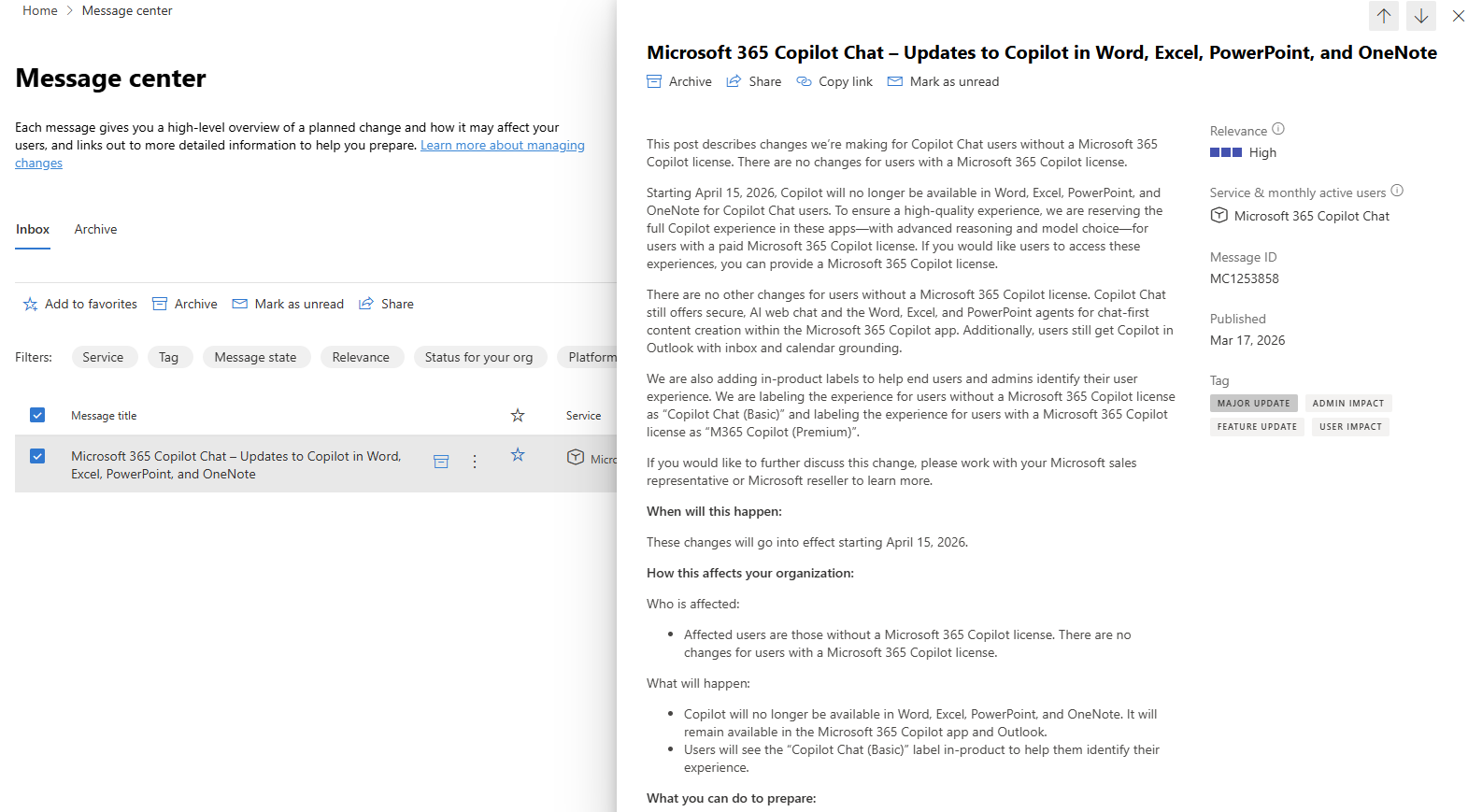
With the current news of free Copilot getting discontinued, one of my customers reached out to me for clarification of it. I was also unaware of it, but going through a few Microsoft documents, I found it’s a bit tricky to understand. So, I thought it would be better for me to write a simple blog with clarity for our customers to understand what Microsoft is going to make changes to the new licensing policy of Copilot. My customer has received below message on their Message center with MC ID: MC 1253858
The Conversation That Sparked This Blog
It started with a simple question from a customer:
“Are we going to lose Copilot free version? We heard it won’t be free anymore.”
This was not a one-time question. I started receiving similar queries from multiple organizations across Nepal. Some were small businesses, while others were large enterprises.
At first, even I found the messaging confusing. After reviewing multiple documents and updates, the actual change became clearer.
How this affects your organization:
Who is affected:
- Affected users are those without a Microsoft 365 Copilot license. There are no changes for users with a Microsoft 365 Copilot license.
What will happen:
- Copilot will no longer be available in Word, Excel, PowerPoint, and OneNote. It will remain available in the Microsoft 365 Copilot app and Outlook.
- Users will see the “Copilot Chat (Basic)” label in-product to help them identify their experience.
Where the Confusion Comes From
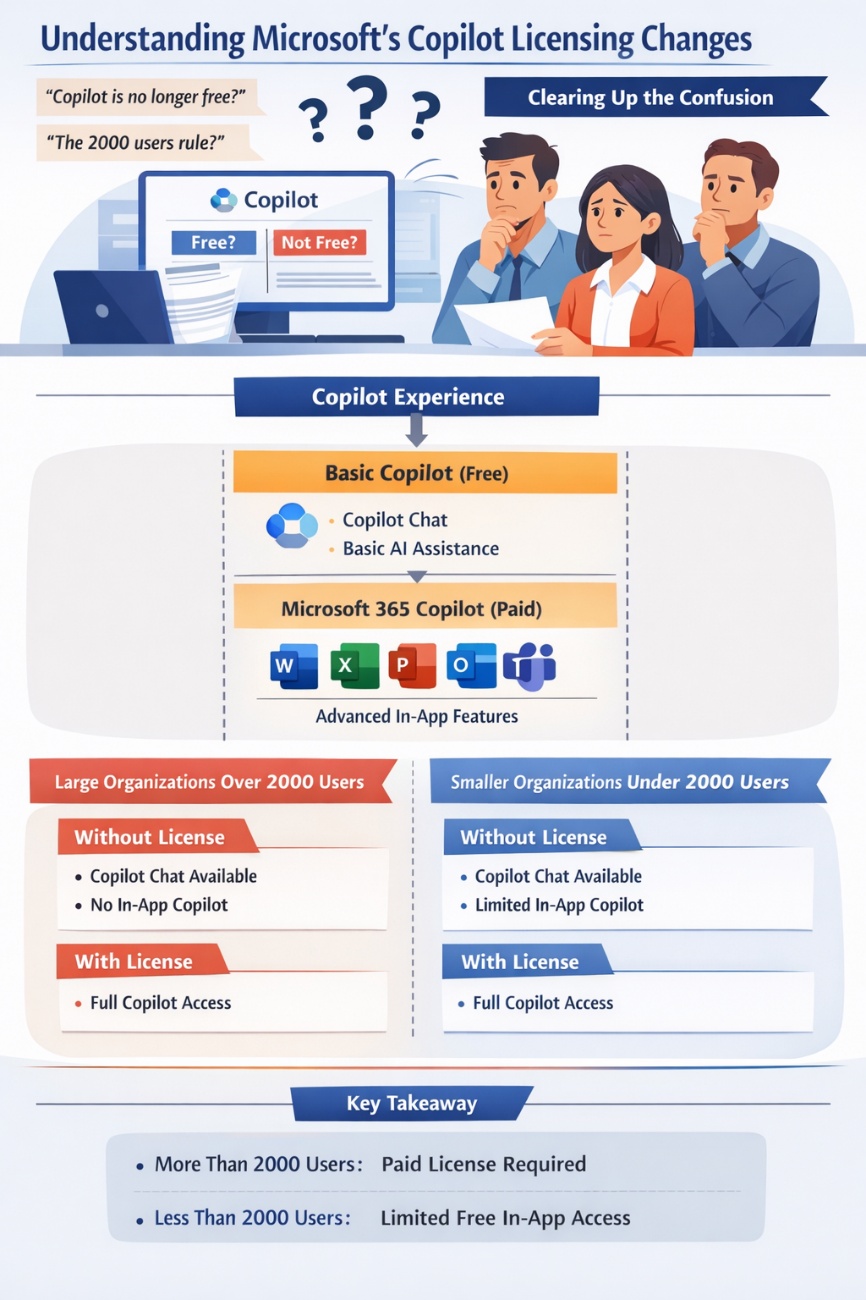
There are two main reasons for the confusion:
- The statement “Copilot is no longer free” is not entirely accurate
- The “2000 users rule” is being misunderstood
Let’s break this down in a simple way.
Copilot is Not Going Away
First, let’s clarify the biggest misconception:
Copilot is not being removed.
Microsoft is restructuring how Copilot is offered and how its value is delivered.
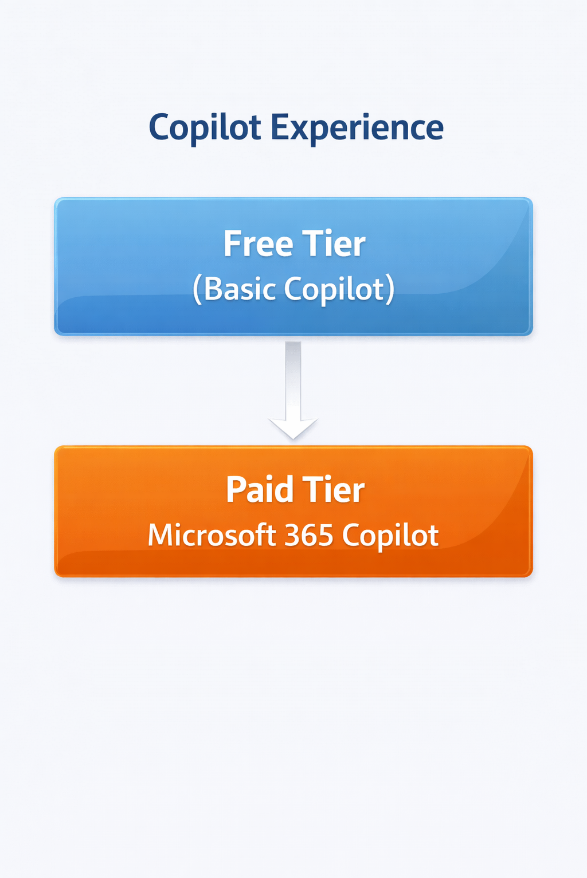
You can think of it like this:
Copilot Experience
What is Actually Changing?
Microsoft is clearly separating Copilot into two types of experience.
1. Basic Copilot (Free)
This includes:
- Copilot Chat (web or app)
- General AI assistance
- Content generation and idea support
This will continue to be available.
However, it is not deeply integrated into Microsoft 365 apps like Word or Excel.
2. Microsoft 365 Copilot (Paid)
This is the premium version and requires a license.
It works inside:
- Word
- Excel
- PowerPoint
- Outlook
- Teams
This is where users get real productivity benefits such as:
- Writing documents directly in Word
- Analyzing data in Excel
- Generating presentations in PowerPoint
- Summarizing emails and meetings
Understanding the “2000 Users” Rule (Detailed Explanation)
This is the most misunderstood part, so let’s go a bit deeper.
First, understand this clearly:
The “2000 users” number is not about eligibility for Copilot.
It is about how Microsoft enables or restricts the free in-app experience.
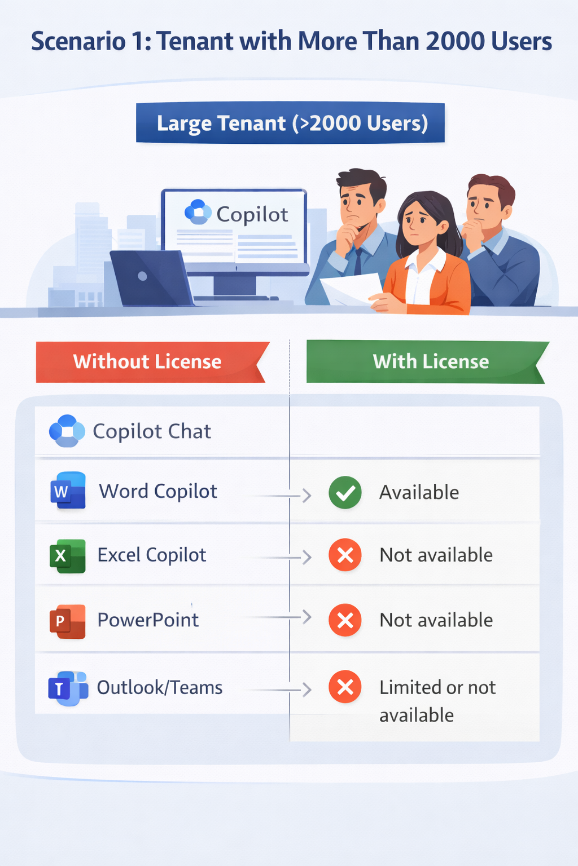
Scenario 1: Tenant with More Than 2000 Users
In large tenants, Microsoft is restricting free Copilot inside Microsoft 365 apps.
Key Point:
For large organizations, free Copilot is limited to chat only.
To use Copilot in daily work tools, licensing is mandatory.
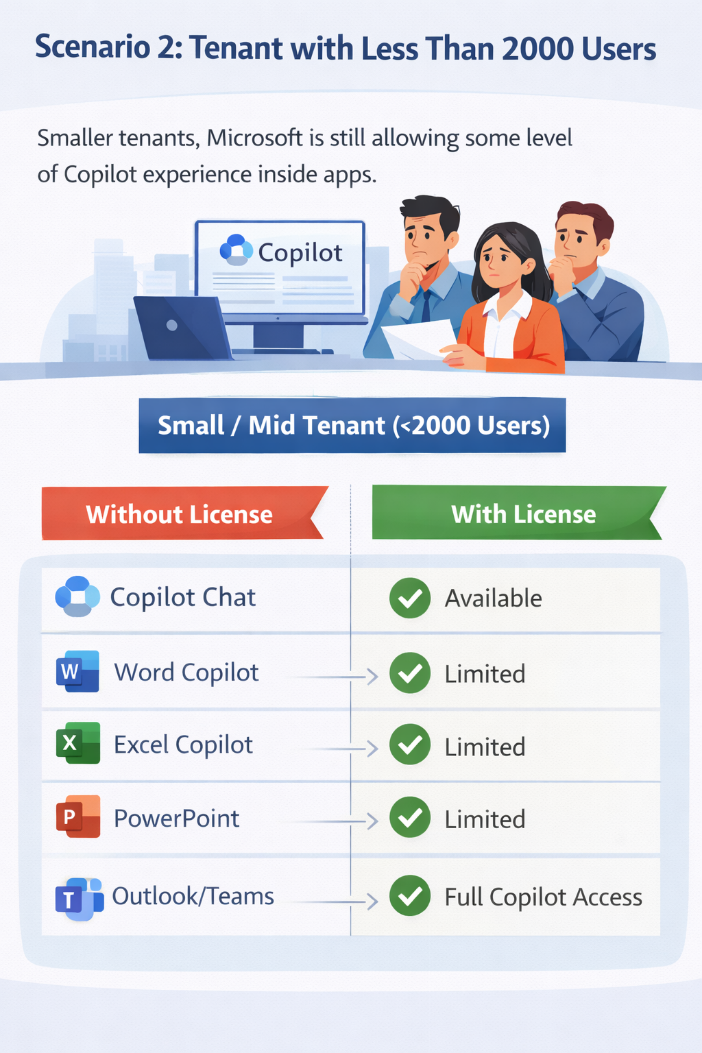
Scenario 2: Tenant with Less Than 2000 Users
In smaller tenants, Microsoft is still allowing some level of Copilot experience inside apps.
Without Copilot License:
- Copilot Chat → Available
- Copilot inside apps → Partially available (limited experience)
Small / Mid Tenant (<2000 Users)
Why Microsoft Introduced This Difference
From a practical perspective, this change is driven by:
- Encouraging enterprises to adopt paid Copilot
- Managing infrastructure and AI compute usage
- Providing smaller organizations a way to explore AI before full adoption
What This Means for Nepalese Organizations
Most organizations in Nepal fall into:
- Small and medium-sized businesses
- Cost-sensitive environments
- Mixed Microsoft 365 licensing (Business Basic, E3, etc.)
Key Impact Areas
1. Budget Planning
Organizations now need to decide:
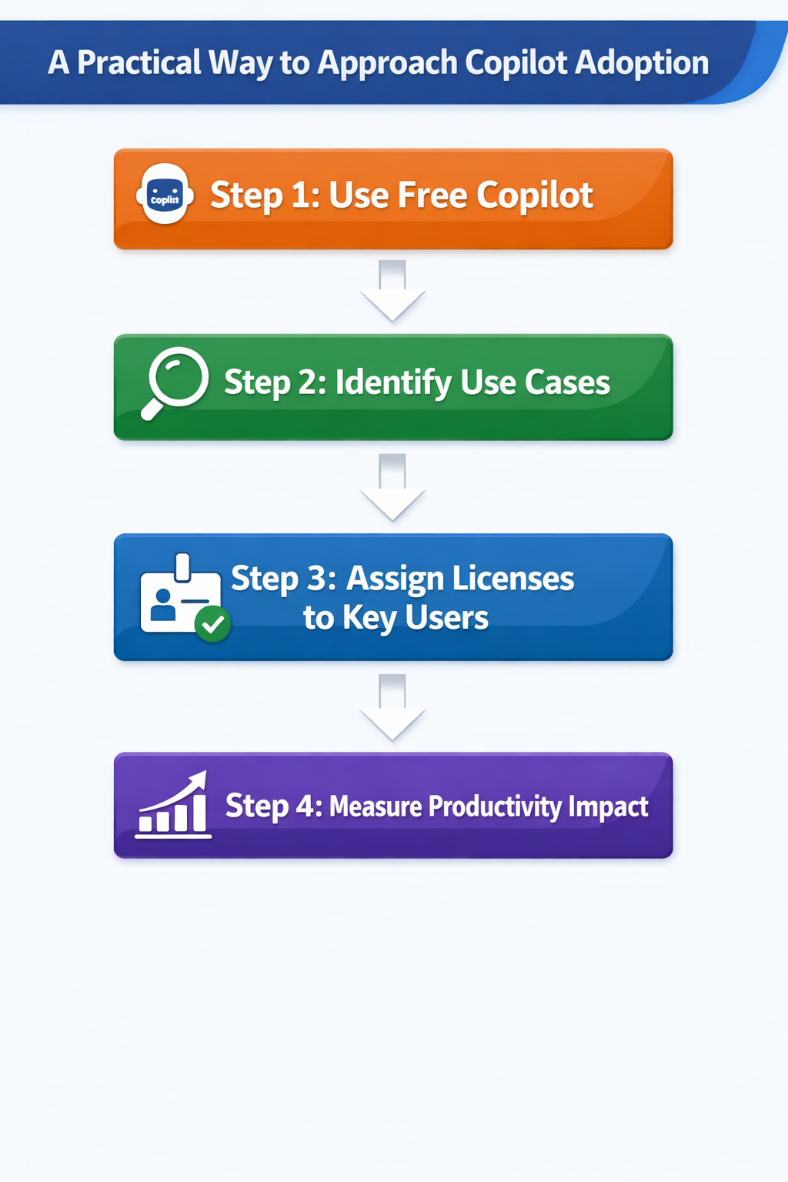
- Who actually needs Copilot?
- Where will it create value?
It is not necessary to assign licenses to all users.
2. Role-Based Usage
Copilot will be most useful for:
- Management and decision makers – In meetings and reports, to summarize discussions and generate insights for faster decision-making
- Finance teams (Excel-heavy users) – In Excel, to analyze data, create formulas, and generate financial insights quickly
- Sales and marketing teams – In Outlook, PowerPoint, and Teams, to draft emails, create presentations, and summarize customer interactions
- Content creators – In Word and PowerPoint, to generate, rewrite, and structure content efficiently
- Business analysts – Across Excel and Teams, to interpret data, generate summaries, and prepare reports with actionable insights
3. Free Copilot Still Has Value
Even without licensing:
- Users can use Copilot Chat
- It can help with:
- Drafting emails
- Generating ideas
- Learning and research
It remains a useful tool, just not fully integrated into daily workflows.
Final Thoughts
Microsoft is not removing Copilot. Instead, it is clearly defining:
- Free Copilot as a general AI assistant
- Paid Copilot as a productivity tool inside Microsoft 365
The confusion mainly comes from how the updates are being interpreted, especially around tenant size.

Org-wide Teams Availability

USB 3.0 integrated in windows 8 says Intel.

[solved] Exchange 2019 installation issue ExSMIME.dll
About Author

pdhewjau
Prashant Dhewaju is a Microsoft MVP and Microsoft 365 Adoption Consultant with deep expertise in cybersecurity and modern workplace solutions. He advises organizations across Nepal and the broader region on securely adopting Microsoft 365, improving productivity, strengthening security posture, and driving effective change management. His prior position as a Modern Work Security Specialist at Microsoft saw him providing invaluable guidance to major clients in Bangladesh, Brunei, Cambodia, and Myanmar, assisting them with their foundational security needs. Awarded the esteemed Microsoft Most Valuable Professional (MVP) accolade in 2017, Prashant is recognized globally among Microsoft peers. Since 2010, he has imparted his expertise as a Microsoft Certified Trainer (MCT), conducting specialized training across Nepal.